

English: 3D model
A 3D model is the digital representation of a three-dimensional object in virtual space. Unlike 2D images, you can view, rotate and change 3D models from all sides. They are the basis for modern product development, digital visualization and virtual reality.
Today, 3D models are essential for modern product development and product communication. They connect technical precision with visual presentation and make new types of interaction possible. As the technology improves, 3D models become easier to access and more versatile.
The Basics
A 3D model consists of different building blocks:
- Vertices: Single positions in 3D space
- Edges: Connections between the vertices
- Faces: Areas that edges enclose
- Polygons: Combined faces that make the shape
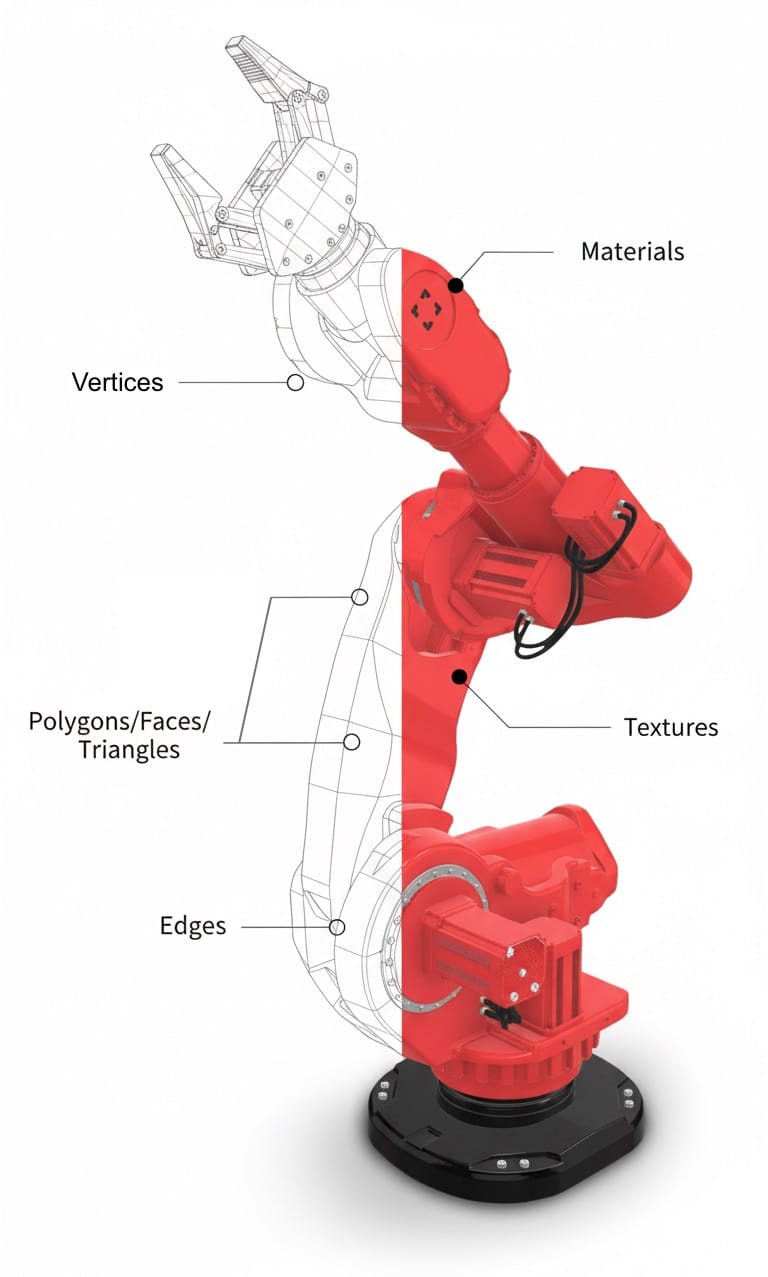
The more polygons a 3D model has, the more detailed it looks. But it then also needs more computing power. In practice, you look for a good balance between appearance and performance.
Differences Between CAD and Gaming
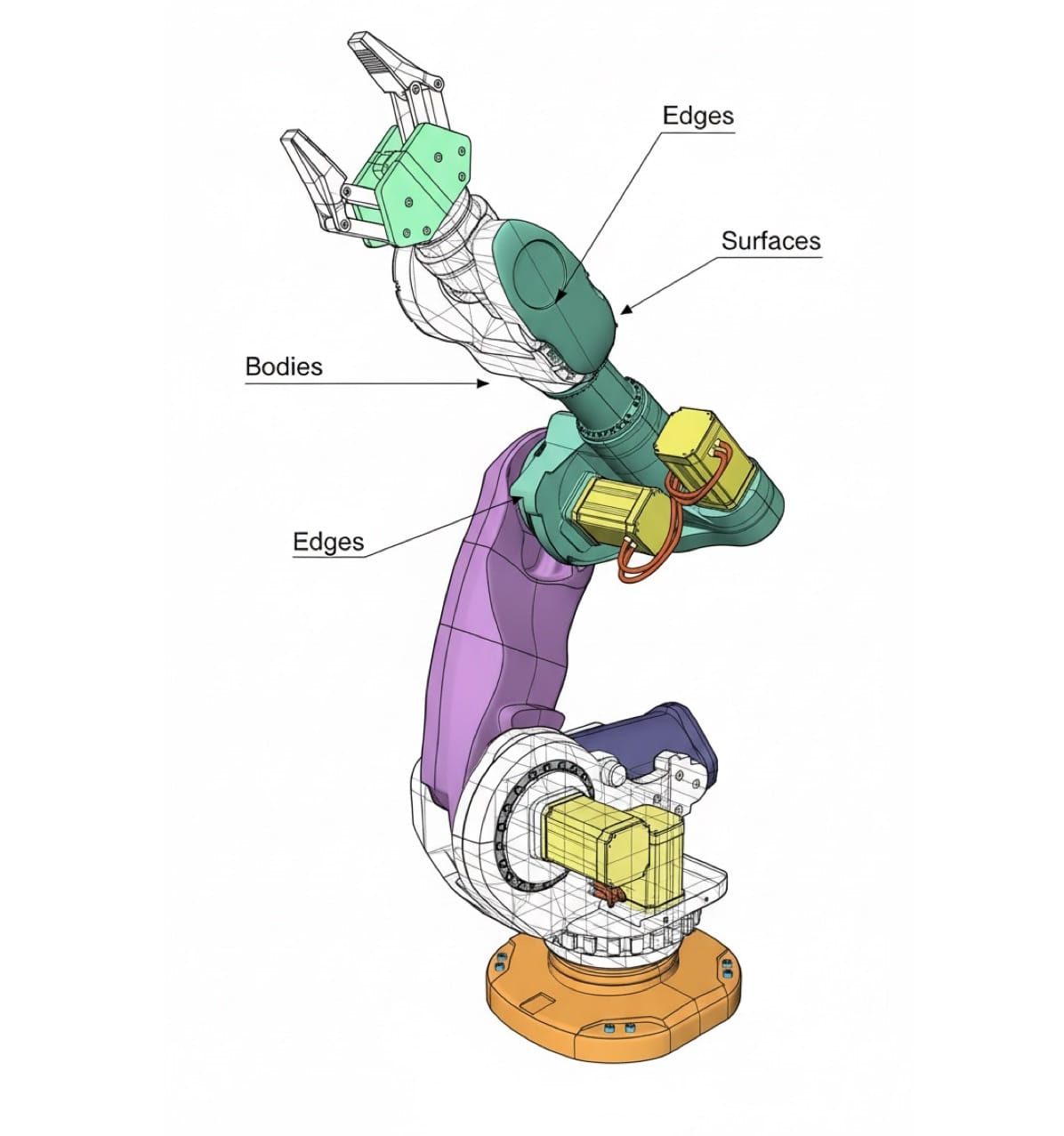
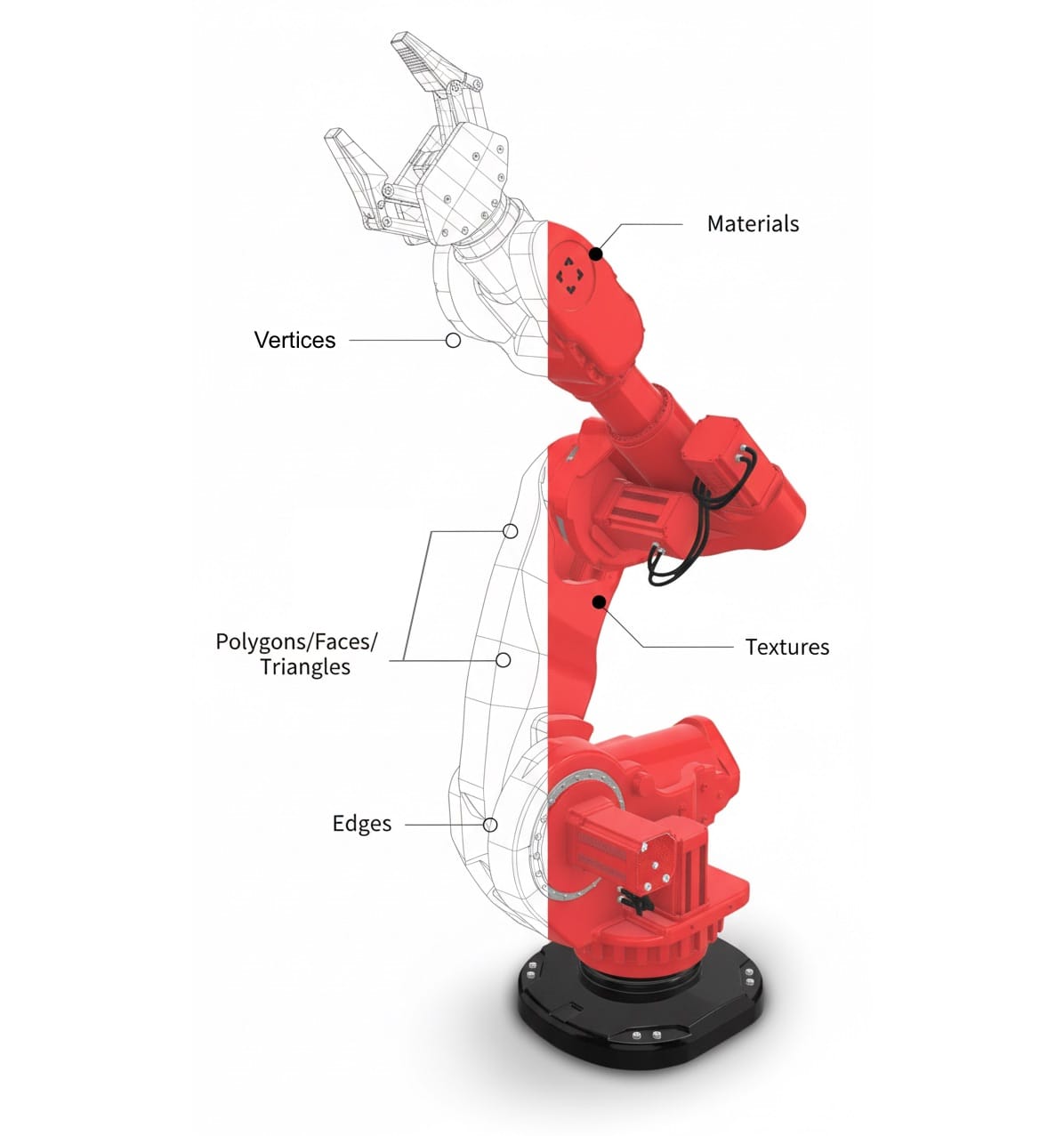
CAD/CAM model (left) vs. gaming/polygon 3D model (right)
CAD/CAM Models
- Highest accuracy for manufacturing
- Exact dimensions and tolerances
- Contains technical information
- Usually shows only shapes and colors
- Often very large files
- Used in:
- Mechanical engineering
- Product development
- Toolmaking
- 3D printing
Polygon Models / Gaming Models
- Optimized for fast rendering
- Focus on a good appearance, including surfaces, materials and textures
- As few polygons as possible
- Small, efficient files
- Used in:
- Computer games
- Virtual reality
- Product presentations
- Web applications
To use a CAD model in a game or a web application, you must first simplify it. This process removes unimportant details and reduces the number of polygons. This process is called "optimization" or "retopology".
Creating 3D Models
CAD Modeling
- Works with exact dimensions
- Uses technical drawings as the basis
- Tools such as:
- SOLIDWORKS
- Autodesk Fusion 360
- CATIA
- Siemens NX
Gaming Modeling
- Artistic approach
- Focus on appearance and animation
- Tools such as:
- Blender
- Maya
- 3ds Max
- ZBrush
- Cinema 4D
File Formats
The world of 3D formats is complex and often confusing. Many formats exist in different versions, and different programs support them to different degrees. This often makes the exchange of 3D models between different systems a real challenge. Conversion errors can cause data loss, incorrect dimensions or damaged models.
For more information, read CAD-to-3D Conversion
For CAD/CAM
- .step (for exchange between CAD programs)
- .iges (technical standard)
- Native formats of the CAD software
For Gaming and Web
- .fbx (standard for games)
- .obj (simple 3D format)
- .glb (optimized for the web)
Today, modern tools such as Unreal Engine 5 and Unity can also show very detailed models in real time. This makes new applications possible, such as virtual product configurators or technical training in game quality.
Practical Applications
Modern technology cannot work without 3D models. They help us plan, test and present things before they exist in reality. These are the most important areas of use:
- Industry and production: Industry uses 3D models in all of product development. Engineers design new products on the computer, test their properties in simulations and optimize them before they build the first prototype. In manufacturing, 3D models control modern machines such as 3D printers or milling machines. Especially in the automotive and aircraft industries, this saves much time and money in development.
- Construction and architecture: Modern buildings are first created digitally. Today, architects plan complete buildings as 3D models that contain every detail, from structural engineering to the electrical systems. These "digital twins" help to find errors early and to plan construction work better. After construction, these models are also valuable for maintenance and conversion.
- Film and games: Today, the entertainment industry is the largest user of 3D models. In films, artists create complete worlds on the computer that you cannot tell apart from real footage. Video games use 3D models for everything, from characters and vehicles to complete landscapes. The models must not only look good, but also be efficient enough for real-time rendering.
- Medicine and research: Doctors use 3D models (or at least 3D views) to plan surgery and to make implants that fit exactly. CT or MRI scans become detailed models of organs, on which doctors can practice procedures. In research, 3D models help to better understand complex processes such as chemical reactions or biological processes.
- Retail and marketing: Retail uses more and more 3D models to present products online. Customers can place furniture virtually in their home or try on clothing digitally. Product catalogs become interactive, and marketing teams can present new products long before they are available.
- Education and training: Schools and universities use 3D models to explain difficult topics clearly. From historical buildings to chemical molecules, complex subjects become tangible. In vocational training, technicians and medical staff train on virtual models before they work on real equipment or patients.
- Virtual and augmented reality: VR and AR are the newest areas of use for 3D models. In virtual worlds, people can work, learn or play together. AR apps show additional information in the real world, for example assembly instructions or navigation aids.
- Art and design: Today, artists create digital sculptures and installations with 3D programs. Designers design furniture, fashion and consumer products digitally and can visualize changes immediately. The borders between digital and physical art become less and less clear.
- Surveying and documentation: 3D scanners make accurate models of existing objects and buildings. These digital copies are important for the documentation of historical buildings, for quality control in production and for the planning of conversions.
- Scientific visualization: Scientists use 3D models to make invisible or hard-to-reach things visible. From weather systems and geological formations to microscopic structures, 3D models make complex data easy to understand.
In Industry Specifically
- Product development: Digital prototypes, component tests on the computer, assembly checks
- Manufacturing: CNC programming, 3D printing, quality control
- Technical documentation: Assembly instructions, maintenance manuals, spare parts catalogs
- Marketing: Product visualization, promotional videos, virtual showrooms
- Technical applications: Simulations, training applications, product configurators
Important Standards for 3D Models
Industry has clear rules for how to create and exchange 3D models. These standards make sure that all parties speak the same "language" and can exchange data without problems.
An overview of the most important standards:
ISO 29481: The Construction Standard
This international standard defines how the construction industry exchanges 3D models. This is important so that, for example:
- Architects can share their designs with engineers
- Construction companies can implement the plans correctly
- All project participants work with the same data
VDI 3805: Standard for Building Services
This German guideline explains how to create 3D models for technical systems in buildings. It helps to:
- Plan heating, air conditioning and other technical systems in a uniform way
- Exchange product data between different programs
- Prevent planning errors
DIN EN ISO 10209: Basic Rules for Technical 3D Models
This standard is like a dictionary for technical 3D models. It makes sure that:
- Everyone uses the same technical terms
- 3D models have a uniform structure
- Everyone can understand the technical documentation
These standards are especially important in large projects, where many different companies and specialists must work together.
Current Trends
1. Real-Time 3D
- Changes are shown immediately
- Interactive product presentations
- Virtual reality applications
2. Automatic Optimization
- AI-assisted model simplification
- Automatic adjustment of detail
- Fast conversion between formats
3. Cloud Collaboration
- Working on models together
- Automatic version control
- Easy file exchange
Practical Tips
- For CAD/CAM
- Clean design from the start
- Save regularly
- Good structure in the model tree
- Documentation of changes
- For gaming/visualization
- Optimization of the polygon count
- Efficient texturing
- Clean UV coordinates
- Performance tests


